Guide
Account & storage
Updated August 19, 2026
Your account
Click your avatar in the top-right corner of any screen and choose Account & billing. Profile holds your name and email — Edit to change them, Sign out to leave this device. A name change applies immediately; an email change sends a confirmation to both the old and new address and applies once both are clicked.
Your plan and its meters
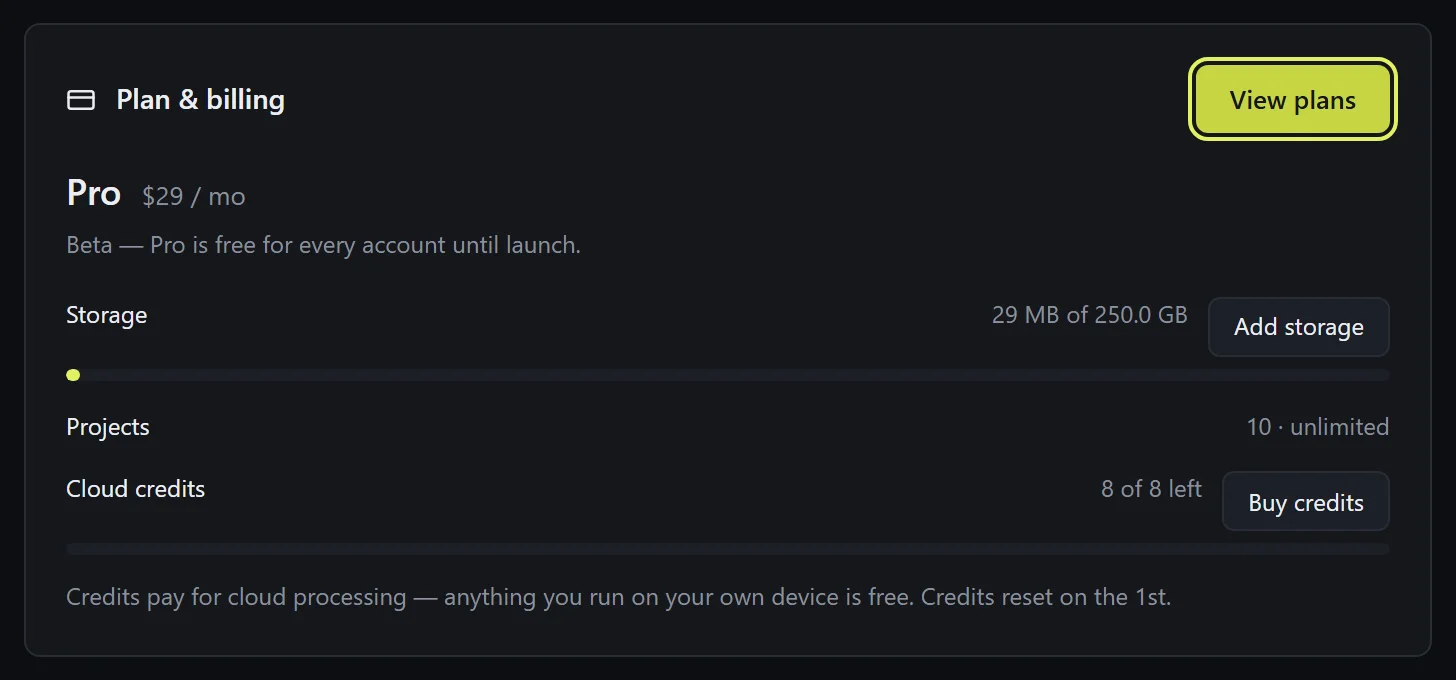
The Plan & billing card shows your plan and three meters: Storage (how much of your plan's space uploads use), Projects, and Cloud credits. During the beta every account runs on the Pro plan, free — paid plans, storage packs, and credit bundles switch on when billing launches.
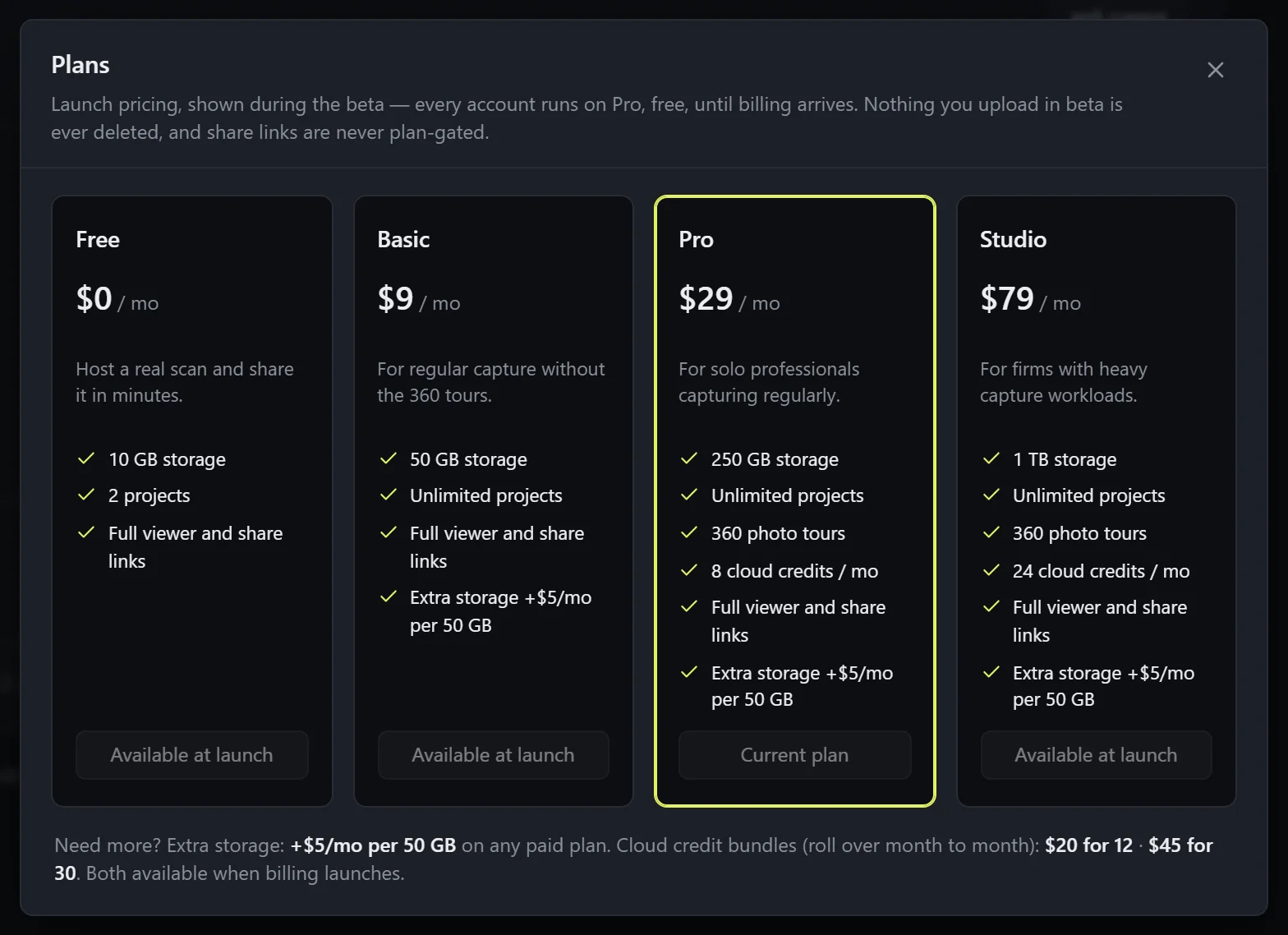
Change plan shows the tiers: Free — 10 GB, 2 projects; Basic $9 — 50 GB; Pro $29 — 250 GB, 360 photo tours, 8 cloud credits a month; Studio $79 — 1 TB and 24 credits. Every paid plan can add storage at $5/month per 50 GB. Share links are never plan-gated, and nothing you upload in beta is ever deleted.
What counts against storage
Everything you upload counts, including the streaming copies made during processing. Deleting a file, scan, or project frees its space immediately. Going over the limit only pauses new uploads — viewing, sharing, and deleting always keep working, so you can always free space or upgrade.
Freeing up space
Remove what you don't need: a file from a scan's dialog, a scan, or a whole project. If leftover files ever accumulate from interrupted deletes, the Account page shows a "can be freed" line with a one-click cleanup. Add storage joins at launch for growing past your plan without changing tiers.
Cloud credits
Credits pay for processing that runs on our servers — mainly the full tour alignment: Align (cloud) and Align (this device) from the 360 tour panel. The cost for your tour is shown under the button before anything starts. Anything that runs purely on your own device is free — the quick pass, hand-placing stations, viewing, sharing.
Your plan includes credits monthly (Pro 8, Studio 24) and the meter resets on the 1st. Credit bundles that roll over month to month arrive with billing at launch.